How to Use Virtual Staging Without Making Buyers Feel Tricked
A practical trust guide for agents who want warmer empty-room photos without fuzzy facts.
Empty rooms can be weirdly hard to sell online.
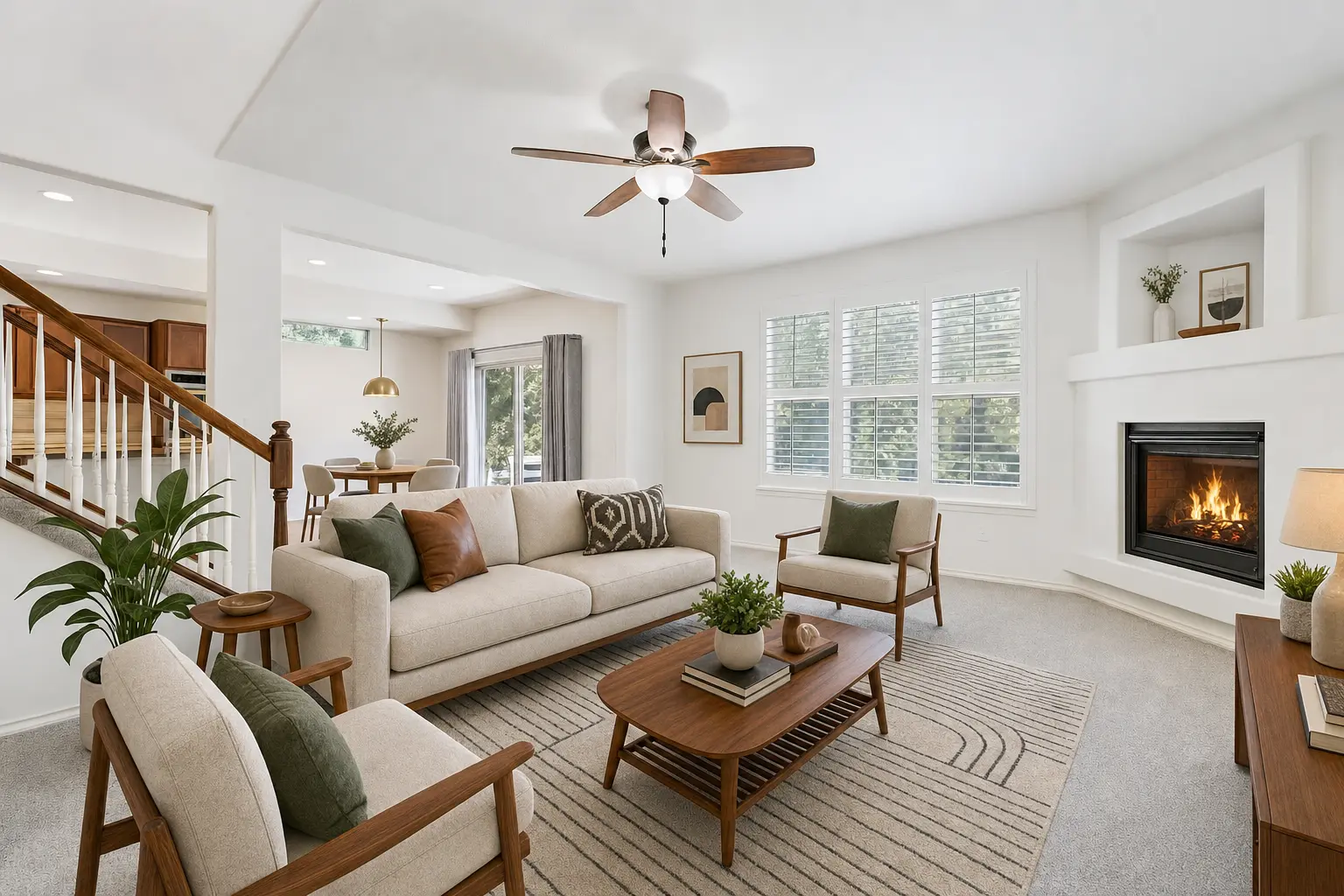
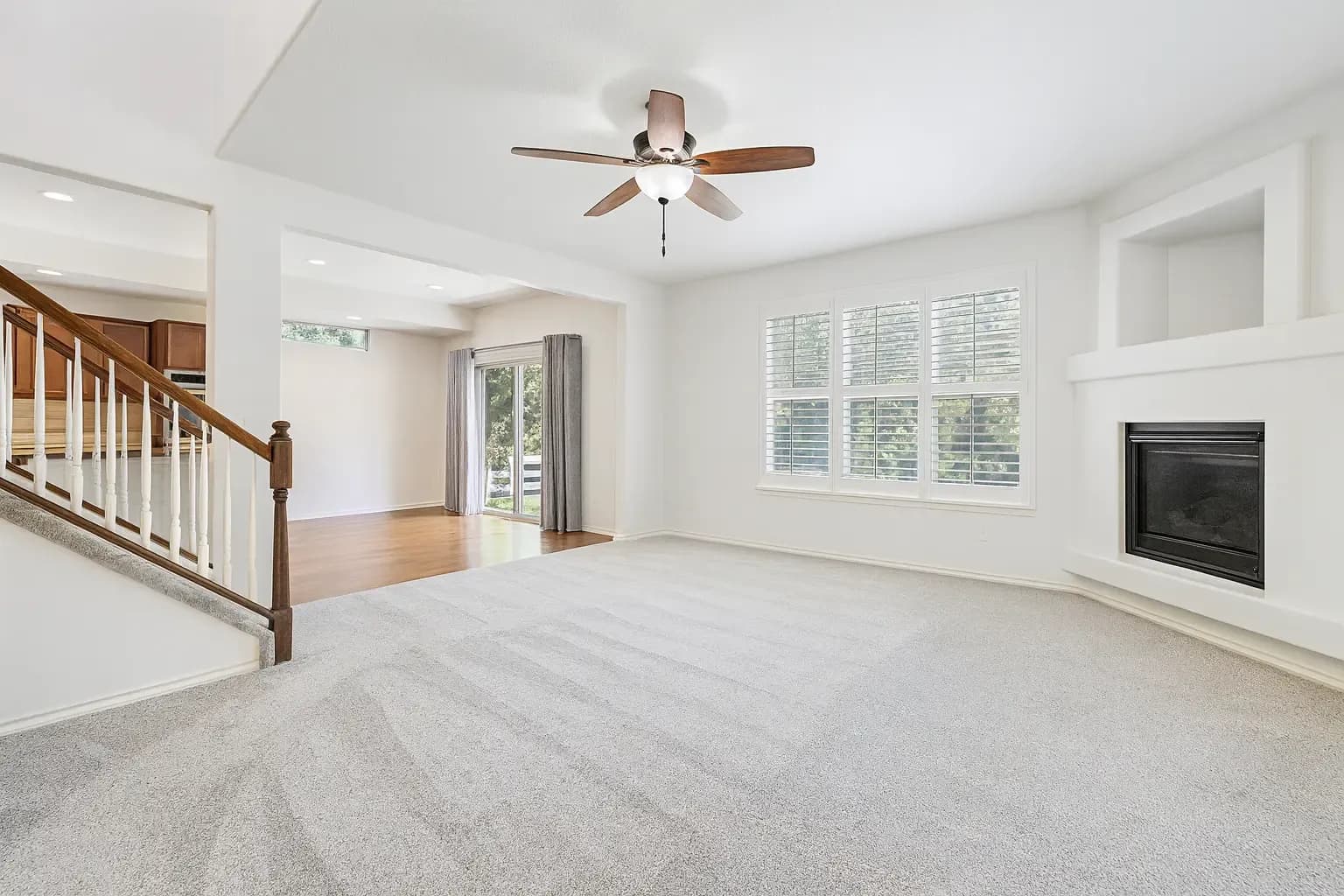
In person, the buyer can feel the ceiling height, notice the fireplace, step toward the windows, and understand how the living room connects to the kitchen. In a listing grid, the same room can flatten into beige carpet, white walls, and a question mark: Where would the sofa go?
That is the useful version of virtual staging. It gives the buyer a little context before they make a fast judgment from an empty box. But agents also have to protect trust. The goal is not to make buyers feel fooled when they walk in the door. The goal is to help them understand the room sooner.
The trust problem starts when the edit gets too quiet
Buyers do not hate virtual staging. They hate feeling like the listing was slippery.
A staged image can be genuinely helpful when it answers a real question: Can a sofa fit here? Is this a living room or a pass-through space? Does the fireplace wall anchor the room? Can the breakfast nook feel separate from the main seating area?
The trouble starts when the image adds furniture, styling, or ambience and then pretends nothing changed. That is why virtual staging disclosure matters. A simple label keeps the buyer's trust intact while still letting the photo do useful marketing work.
What good virtual staging should do
The best staged image makes the room easier to read. It does not turn the home into a different property.
- Show scale: furniture helps buyers understand how much room they actually have.
- Show function: an empty open area can become a clear living room, dining zone, office, or bedroom.
- Show warmth: rugs, lamps, plants, art, and textiles can help a blank space feel lived-in instead of cold.
- Preserve the facts: walls, windows, flooring, fixtures, views, room shape, and permanent features should stay honest.
That is the balance. AI magic for the photo. No fake facts about the home.
What agents should label
A practical rule: if the edit adds furniture or decor that a buyer could reasonably expect to see at the showing, label it.
"Virtually Staged" or "Virtually Staged with AI" is usually enough for the image label itself. In MLS-sensitive workflows, follow your local MLS rules and brokerage guidance. Some markets want the original image included too. Some care about where the label appears. The point is to make the edit obvious enough that no one feels surprised later.
The disclosure does not have to ruin the marketing. It can sit right beside a beautiful photo and say, clearly: this is a visualization of how the room could live.
What not to change
Virtual staging gets risky when it starts improving the property instead of explaining the property. Do not use staging to hide a material condition, invent a built-in, change a window, cover an awkward layout, or make the room feel larger than it is.
Furniture is flexible. Permanent features are facts. Keep that line clean and the staged image becomes much easier to trust.
Use staging after the room is ready for the story
Staging works best when the photo already gives Turtl a clean read on the room. Empty rooms are ideal. Lived-in rooms may need Room Reset first, especially if the seller's furniture is blocking the room's best angle.
For agents, this creates a practical workflow:
- Start with the room that feels cold or confusing when empty.
- Use realistic furniture that matches the home, not a showroom fantasy.
- Keep the original photo handy.
- Label the staged result clearly when the image is used for listing marketing.
- Compare the photo as a thumbnail and at full size before publishing.
This is especially useful for vacant listings, rentals between tenants, and sellers who need buyers to understand possibility without hauling in furniture for every room.
The buyer should feel helped, not handled
Good virtual staging gives the buyer a bridge from empty space to real life. It should feel plausible. The sofa should fit. The rug should sit naturally. The art should not cover a strange wall problem. The room should still feel like the same home when the buyer tours.
That is the full Turtl treatment for staging: make the room more understandable, make the photo more clickable, and keep the facts clean enough that the agent can stand behind the image.
Try it on one empty room
Pick the room that feels hardest to understand without furniture. Ask Turtl for believable virtual staging, review the result beside the original, and use a clear label when the staged image goes into a listing context.
Try Turtl on one empty room, see Turtl for real estate agents, or check credits and pricing.