Turtl Magic, Explained
Turn “meh” property snaps into listing-ready glow-ups in 3 simple steps.
⚡ Average update time: under 2 minutes
Your 3-Step Photo Glow-Up
Drop Your Pic
Drag & drop or click to browse. Any common format works—extra credit if you’re still in pajamas.
Type Your Wish
“Brighten it, ditch the trash bin, fix the angle.” Plain English only—no photo-speak required.
Boom. New Photo
Sip your coffee while Turtl flexes. Review the update, tweak if needed—then use the version that makes the room read clearly.
Behind the Curtain
Every click from upload to “OMG, that’s better!”
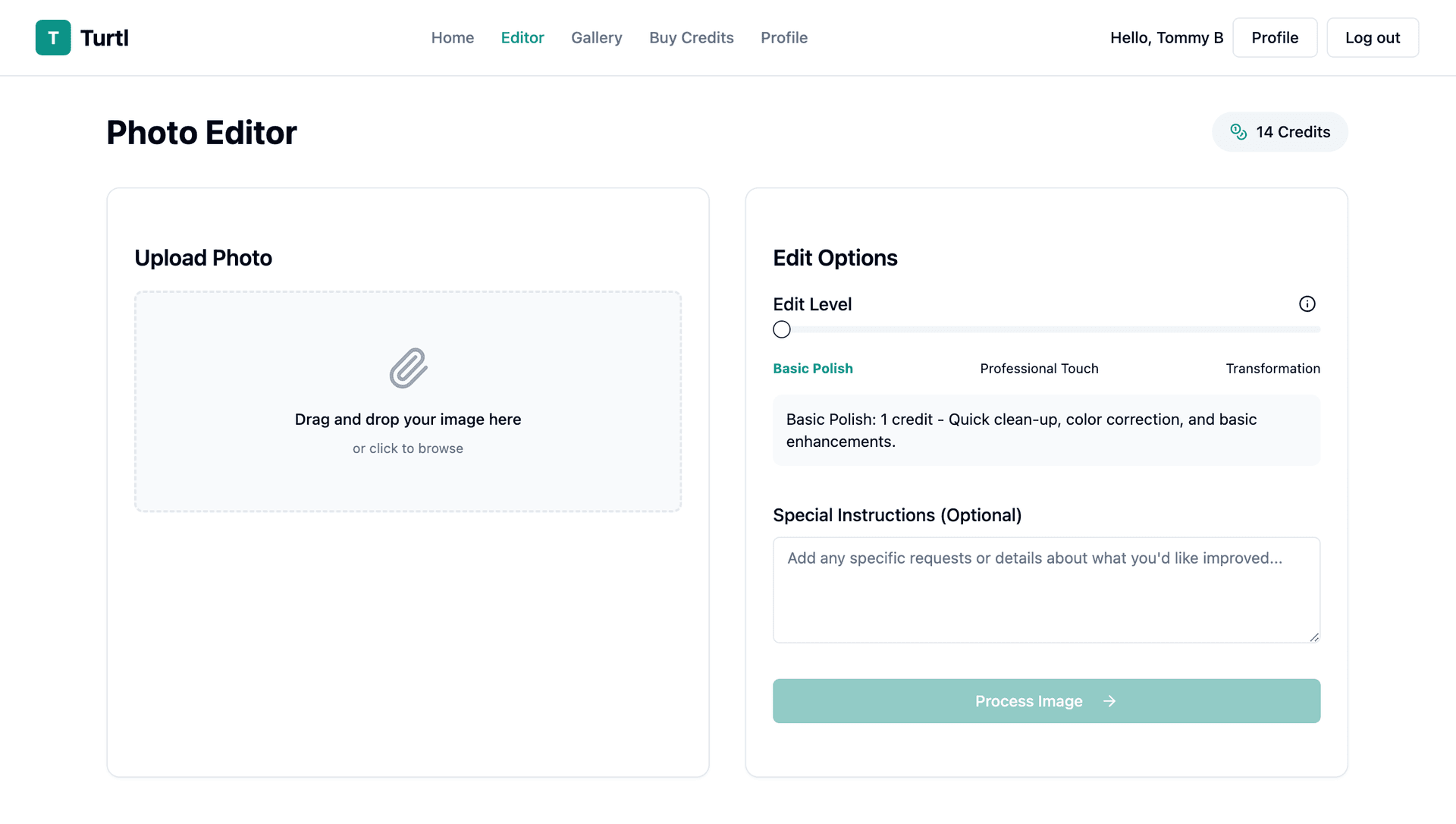
Drop Your Pic
Two ways to start your glow-up:
- Drag & drop onto the upload zone.
- Click to browse like it’s 2003.
JPG, PNG—we’ll preview and pamper them all.
Tell Us the Dream
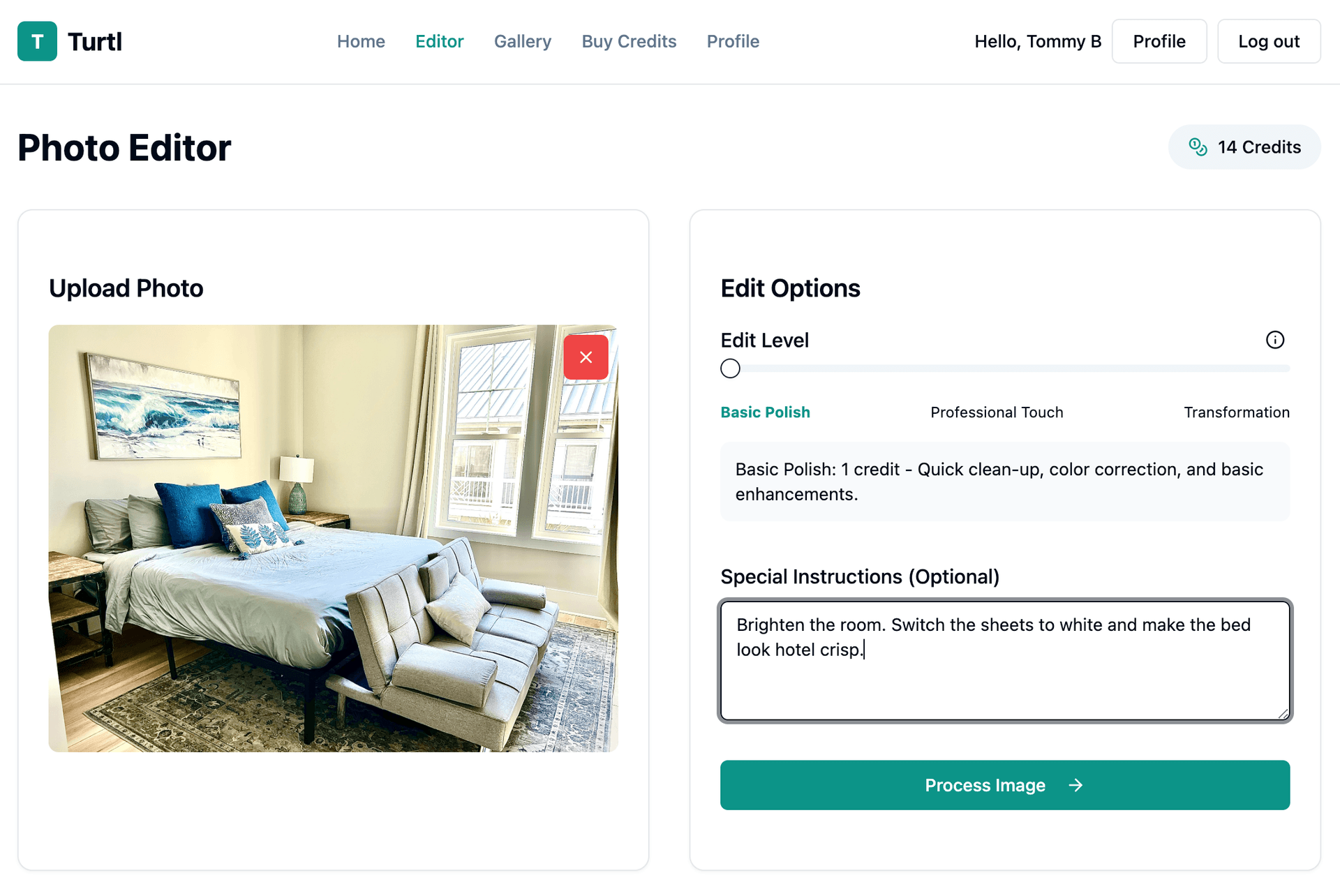
Choose the right edit type:
- Default edit (1 credit) — lighting, cleanup, alignment, and listing polish
- Advanced instructions (included) — season changes, item cleanup, TV screens, and other focused requests
- Virtual staging (3 credits) — furniture, styling, or larger room transformations
- Marketing variants (5 credits) — five cover-photo options for ads, email, or social
Use the advanced tab when you want to add your own direction:
“Brighten the room. Switch the sheets to white and make the bed look hotel crisp.”
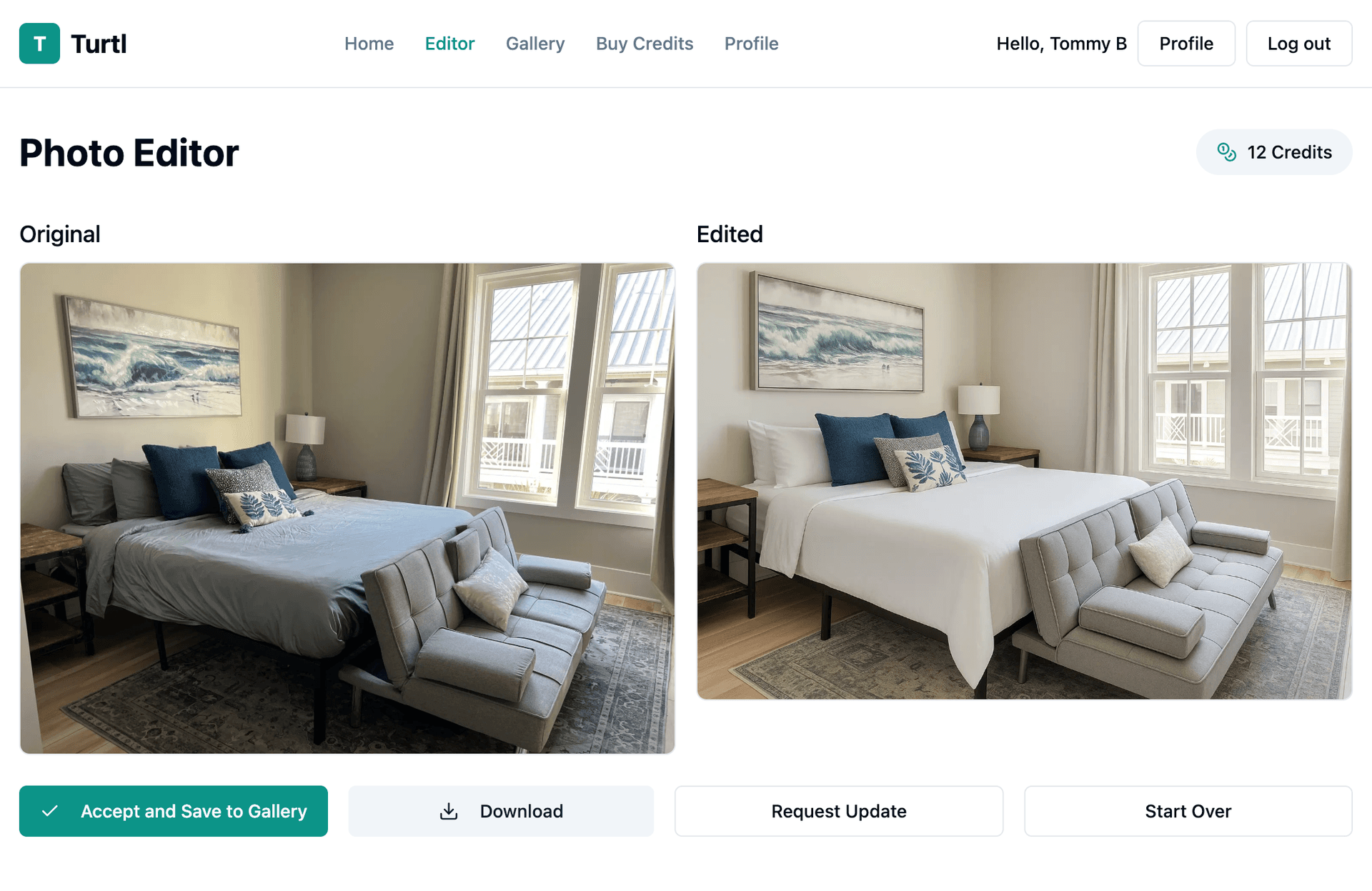
Watch the Magic
Click “Process” and let the pixels party:
- Turtl reads your wish list (no judgment).
- Spin-time: roughly 1–2 minutes.
- Slide to compare before vs. glow-up.
Need tweaks? Hit “Request Update” and give it another go.
Save & Show Off
Store every glow-up in your private gallery—organized, backed-up, and ready for the next listing task.
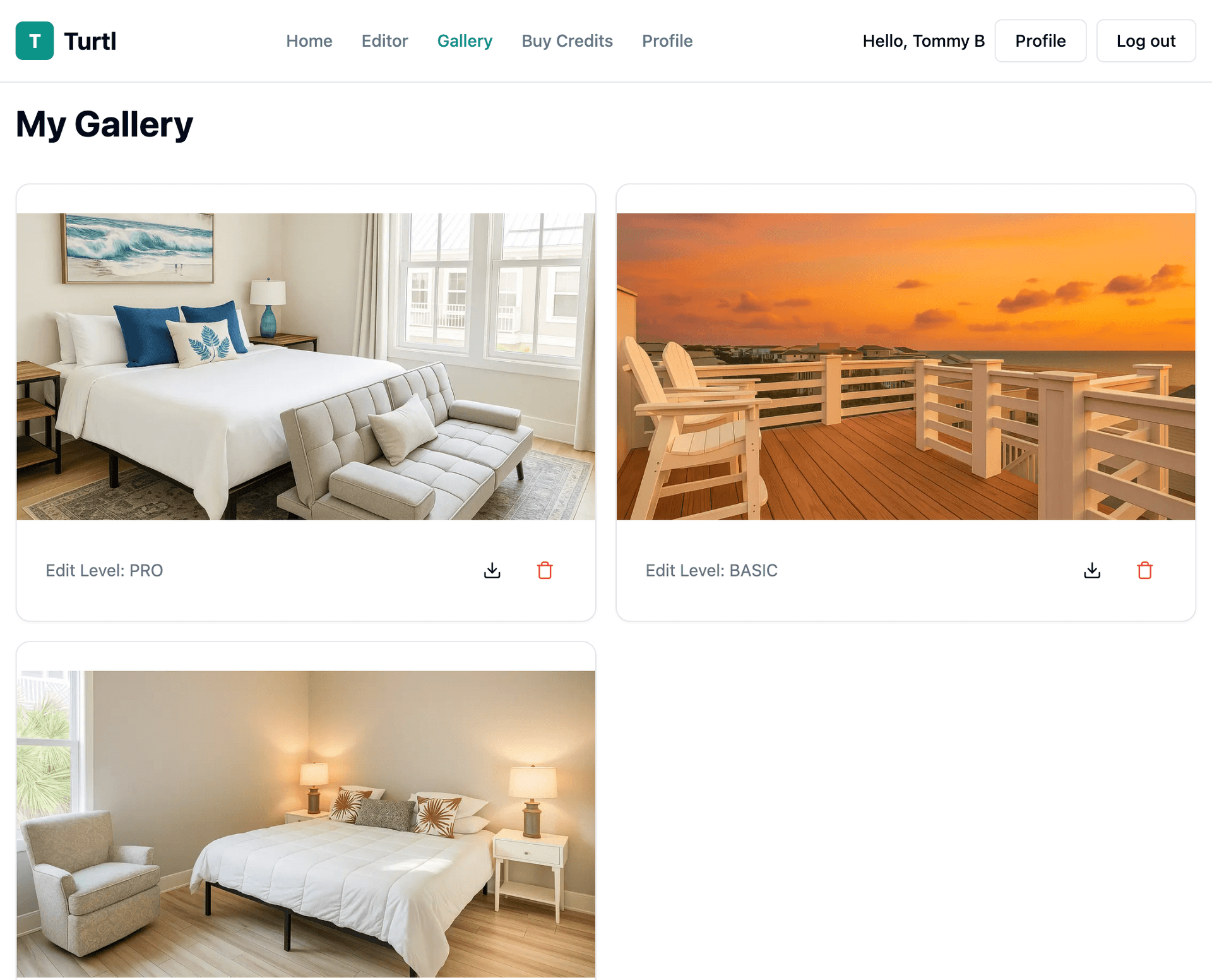
Save to Gallery
Tap “Accept & Save” to stash:
- Original & updated versions, side-by-side.
- Access from any device, anytime.
- Download high-res files for listings.
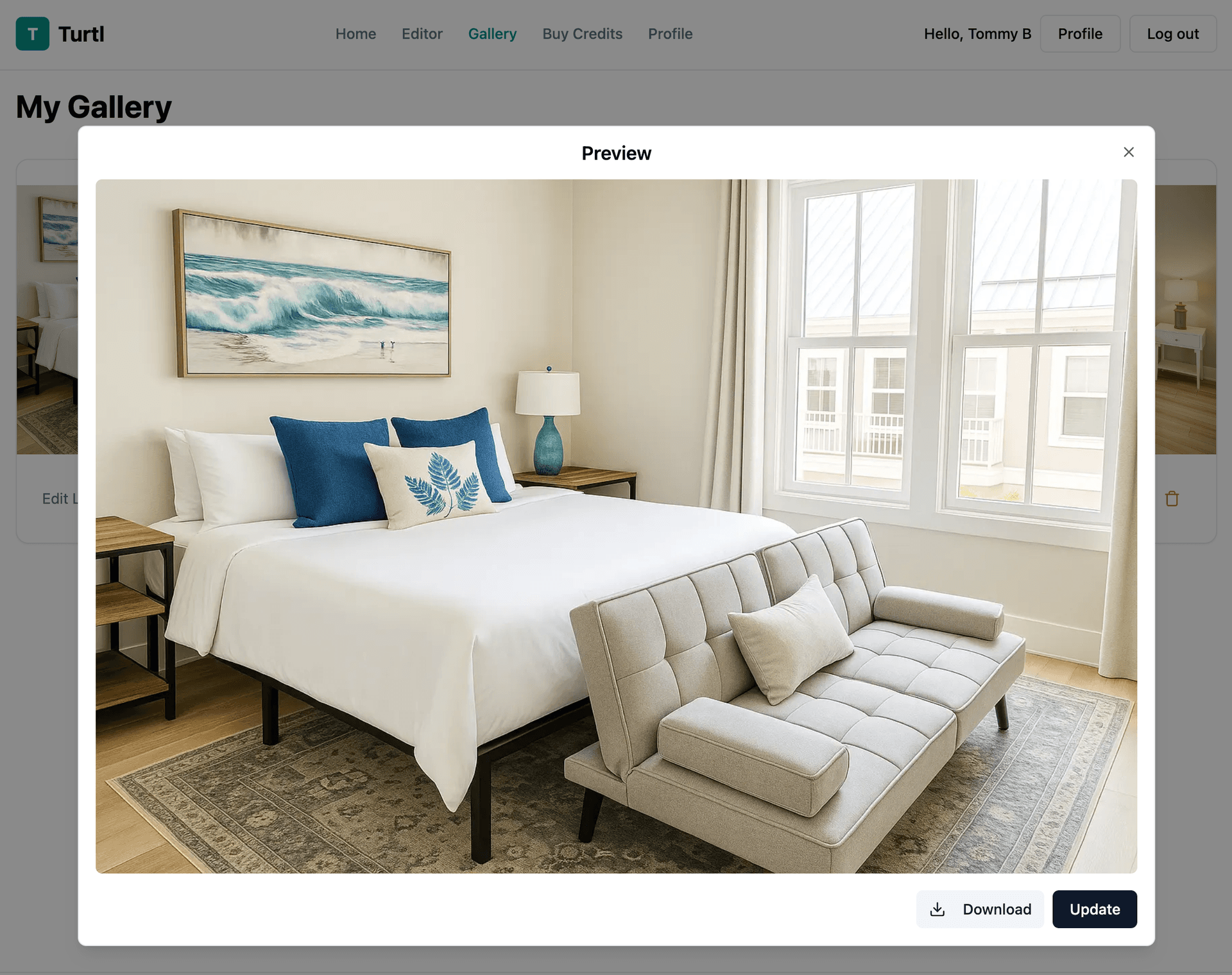
Your Photo Gallery
Inside your Gallery you can:
- Browse all glow-ups in a slick grid.
- Flip between original & glow-up.
- Download high-res files on demand.
Ready to Glow-Up?
Start with one watermarked sample preview. Buy credits only when you want the final export.
Try a Sample Edit