Getting Started with Turtl
A quick guide for your first amazing edits
Jul 17, 2025GuideOnboarding
Welcome to Turtl! In just a few minutes you can turn ordinary property photos into cleaner, easier-to-evaluate listing images. Here's the quick start:
What you'll need
- A photo (JPG or PNG) of your space
- At least 1 credit in your account
- A short idea of what you want changed
3 Steps to Your First Glow‑Up
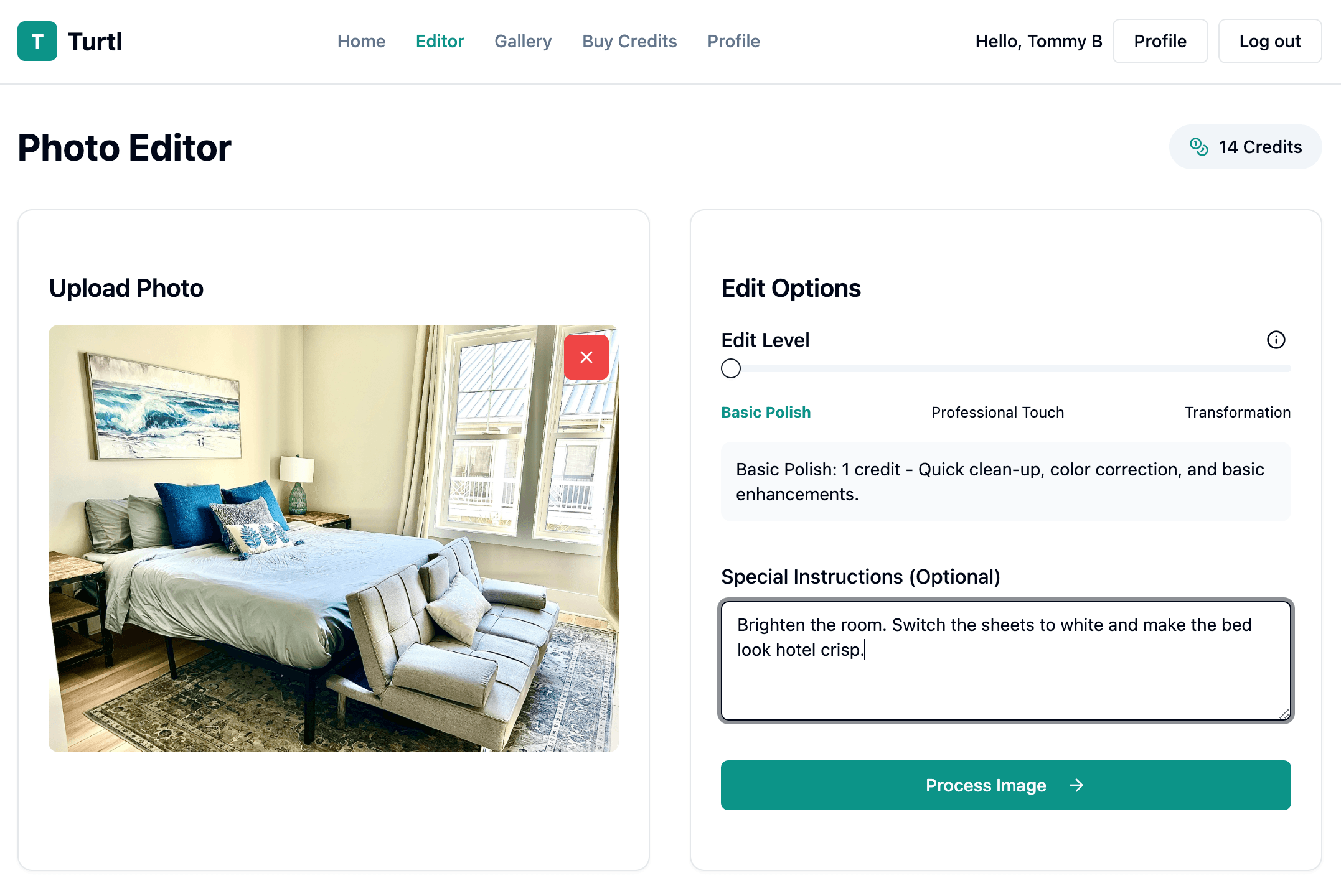
- Upload a photo: Drag & drop a JPG/PNG or click to browse.
- Describe the change: Use natural language like “brighten the room, make bedding white, add warm sunset light”.
- Generate and review: Compare before/after, request an update if you want tweaks, then save to your gallery.
Which edit power should I choose?
- Default Edit (1 credit): Great for lighting, color, straightening, glare cleanup, and everyday listing-photo polish.
- Advanced instructions (included): Add targeted requests like season changes, item cleanup, TV screens, sky swaps, or room-specific direction.
- Virtual Staging (3 credits): Best for adding furniture, styling empty rooms, or larger room transformations.
- Marketing Variants (5 credits): Generate five options when you want cover-photo ideas for ads, email, or social.
Pro tips for better results
- Be specific: “warm afternoon light” works better than “better lighting”.
- Mention colors, textures, and mood: “crisp white bedding, spa‑like”.
- Use simple sentences; you don't need photography jargon.
Before‑you‑post checklist
- Compare before/after at 100% zoom for artifacts
- Confirm verticals are straight and lighting looks natural
- Add 2–3 keyword‑rich captions in your listing to match the new look
When you like the result, click Accept & Save to store both original and edited versions in your private gallery — ready for your listing.
What's next?
- Explore the full walkthrough on How It Works.
- Ready to scale edits? Check Credits & pricing.